Your inbox, finally trained.
AdaptoInbox connects to your Gmail or Microsoft 365 mailbox and uses AI to sort incoming email for you, filing messages into folders, labelling them, and flagging the ones that need a reply. You teach it by talking to Ada, your setup assistant, so there are no rules or filters to configure.
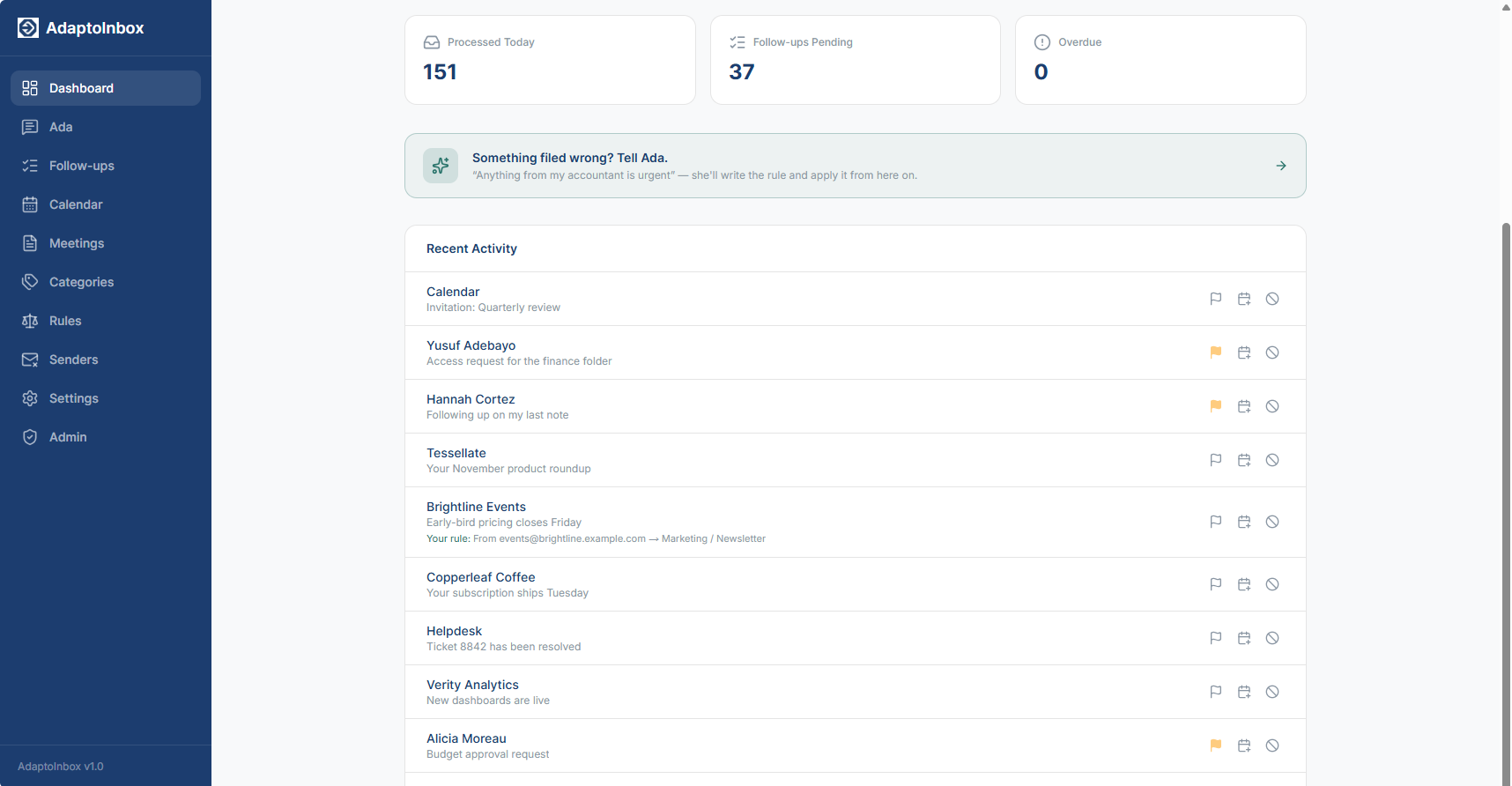
A live dashboard. Sample data, not a real mailbox.
AI Email Categorization
Every new email is read, categorised and filed into the right folder automatically. Your inbox stays clean without lifting a finger.
Conversational Training
No rules to build. Just talk to Ada the way you'd brief a new assistant. Tell her what's important, what to ignore, and how to prioritize.
Follow-Ups That Clear Themselves
A clean view of every email that needs a response. Reply and it comes off the list on its own, so nothing needs ticking off.
Replies Already Written
When something needs an answer, the reply is waiting in your Drafts before you open your inbox, written in your own style, learned from mail you have sent.
Safe Unsubscribe
Leave the mailing lists properly instead of filtering them away. The marketing stops and the receipts, invoices and account mail keep arriving.
Waiting On A Reply
Mail you sent that nobody answered stays on a list until they do. After two days a polite nudge is drafted for you, never sent.
How it works
Connect your inbox
Sign in with Gmail or Microsoft 365. We only request the permissions we need.
Talk to Ada
Tell Ada about your email priorities. Who's important, what can wait, what to ignore. She writes the rules from what you say.
Let it run
Within a couple of minutes of arriving, new email is sorted, labelled and routed for you. Anything filed wrong, tell Ada and she'll adjust.
AdaptoInbox never sends. AdaptoInbox never deletes.
Handing an AI the keys to your inbox should not feel like a leap of faith. So the two things that can actually hurt you are things this product cannot do.
Every reply is a draft
When AdaptoInbox writes a reply or a follow-up nudge, it lands in your Drafts folder, never the outbox. Nothing goes out under your name unless you read it and hit send. There is no “auto-send” setting to misconfigure, because there is no auto-send.
Filed, never deleted
Sorting means moving and labelling. Every message stays in your mailbox, in a folder, findable. A misfiled email is a thirty-second fix (and you can tell Ada so it never happens again). A deleted one is gone, which is why deleting isn't something we do.
What AdaptoInbox does with your email
Sorting your mail means reading it. Here is exactly what that involves, before you connect anything.
Why we need access to your mailbox
To sort your email, AdaptoInbox has to read incoming messages and act on them: moving a message to a folder, applying a label, or flagging it for follow-up. That is what the read-and-modify permission is for. It also requests calendar access so you can see your agenda and turn an email into an event. On Microsoft 365 it additionally asks for task access, so a follow-up can become a to-do, and permission to send only your own daily briefing, to you, and only if you switch it on.
What is sent to the AI
For each incoming message we send the sender, the subject line, and the first 1,000 characters of the body to Claude so it can be categorised. We do not send attachments, and we do not send the full message body. When a message needs a reply, we send that one message's subject and first 2,000 characters so a draft can be written for you to review.
What we store
The sender, the subject, when it arrived, and what we decided to do with it. We do not store the body of your incoming email. There is one exception, and it is your own writing: so that drafts sound like you, we keep short excerpts of messages you have sent, used only to shape the drafts we write for you. Access tokens for your mailbox are encrypted at rest.
What we never do
We never send email on your behalf. AI-written replies and follow-ups are saved to your Drafts for you to review and send. We never delete your mail. Messages are moved and labelled, not removed. And we do not sell your data, use it for advertising, or use it to train AI models. AdaptoInbox's use of information received from Google APIs adheres to the Google API Services User Data Policy, including the Limited Use requirements.
Leaving
Deleting your account removes everything, including connected mailboxes, stored tokens, categories, rules and history, immediately. You can also set a retention period so anything older than 3, 6, 12 or 24 months is deleted automatically. Email we already moved or labelled stays exactly where it is, in your mailbox. You can also revoke our access directly from your Google or Microsoft account at any time.
The full detail is in our Privacy Policy.